About This Game
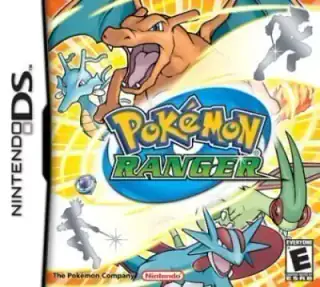
Become a Ranger, befriend Pokémon with the Capture Styler and protect nature. Draw loops around Pokémon on the touch screen to capture them temporarily and use their field abilities.
This is an official Pokémon release. EmulatorPokemon is not affiliated with Nintendo or The Pokémon Company.
How to Play
Choose Play now, then select a game language if prompted. Wait for the game to load.
Controls
- Movement
- Arrow keys
- A button
- Z
- B button
- X
- Start
- Enter
- Select
- V
- L button
- Q
- R button
- E
- X button
- A
- Y button
- S
Default keyboard controls are shown below. Saved custom bindings may differ; check or change them in the emulator’s controls menu.
Tap or click the lower DS screen to use touch controls.
DS games use two screens. Tap or click the lower screen for touch input; a larger screen can make it easier to see both.
Use the game’s save option or the emulator’s save-state menu. Export a backup to keep a copy outside this browser.
Frequently Asked Questions
Which console is Pokémon Ranger for?
Pokémon Ranger was released for Nintendo DS. This page uses a browser emulator for that console.
Which languages can I play Pokémon Ranger in?
Available game versions: English. Choose a version before loading. Changing the website language does not translate the game.
How do I save my game progress?
Save from the game’s own menu, or use save states in the emulator menu. Browser saves do not sync between devices and can be lost when browser data is cleared.
Does it work on mobile?
DS games use two screens. Tap or click the lower screen for touch input; a larger screen can make it easier to see both.
Is this game legal to play?
Use only game files you have permission to use and follow the rules where you live. This site does not grant rights to any game.
Game Information
- Platform
- NDS
- Year
- 2006
- Generation
- Gen 4
- Type
- Official
Share This Game
Play now
Choose Play now, then select a game language if prompted. Wait for the game to load.
Play now